
I was aiming to test the capabilities of the Lovable AI to see if it is that quick and easy to create an app, as it is advertised. Also, the workflow was assisted by Perplexity AI for the part that required text generation, to remove the friction of researching a real product.
Functions of planned app
My initial value proposition for the app to be implemented: “A pre-planned and regularly changed plant-based weekly dinner plan for busy urban women, with personalized serving sizes, calories per serving, and a check-off grocery list.”
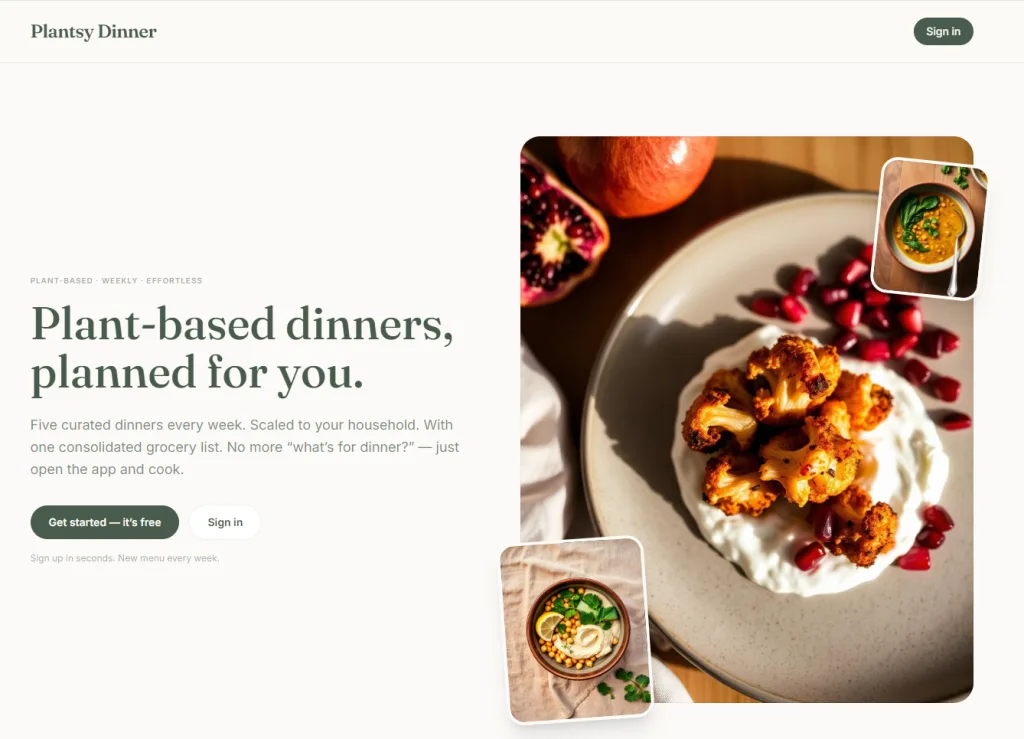
The idea of “Plantsy Dinner” is a no-code web application in which the administrator creates weekly plant-based dinner menus, and each user automatically receives a personalized version based on the settings saved in their profile, which includes recipes adjusted for portion sizes, calorie content per serving, and a consolidated shopping list so they can take care of their entire week’s grocery shopping in one go.
Method
As a first step, I spoke with Perplexity about the best approach for implementation and what was needed for the MVP to be able to write the most efficient prompt in Lovable's interface and to eliminate any possible spelling mistakes as I am not a native English speaker.
After we agreed on the necessary features, it prepared an MVP brief in English at my request, and I copied the sections related to development into the Lovable AI prompt.
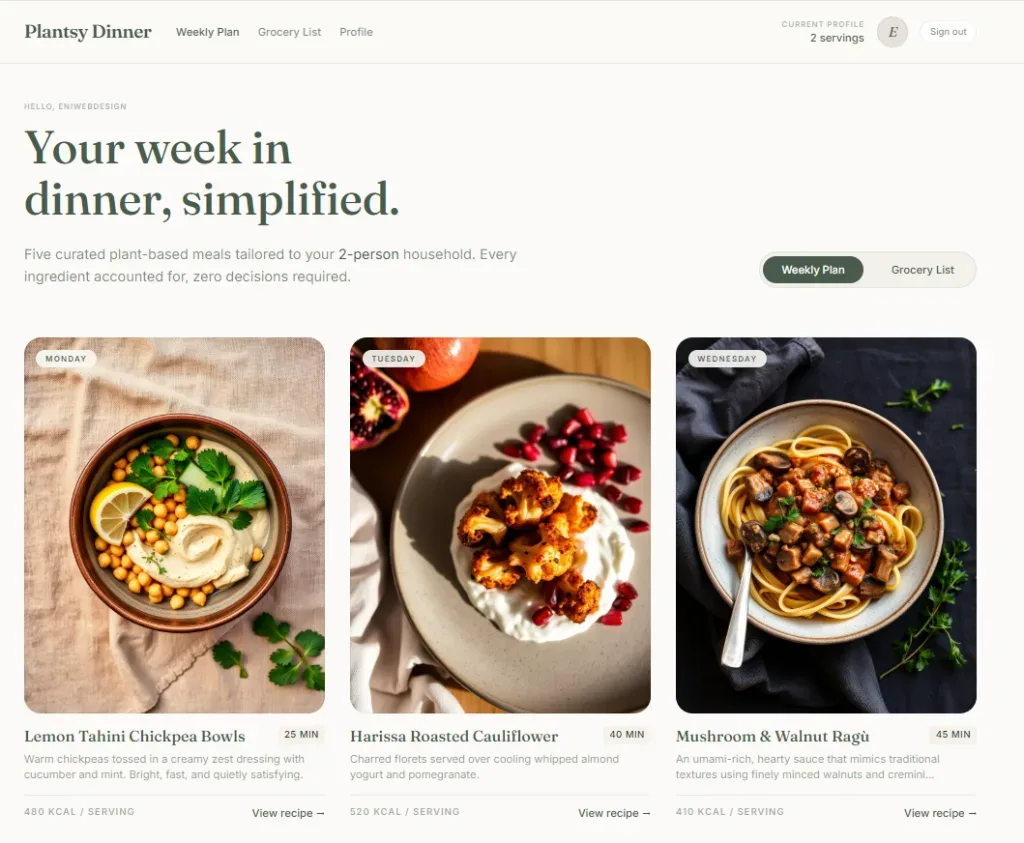
The AI came up with some really nice design proposals right off the bat, and I was able to choose from them during the initial draft phase. First, the user interface was completed, and then I asked it to create an admin interface, too, where I could add new recipes, set up the current weekly plan, and edit the recipe descriptions. I also had to request a separate landing page where I could place the CTAs and key information.
image right: User interface once logged in
I used Perplexity to generate the text for the FAQ section of the landing page, to have a look at handling of accordion type elements. I provided it with the tone I wanted and a general outline of what to include—for example, the disclaimers that absolutely had to be included, and my own story for it to weave into the text. The Lovable AI handled tables and relations entirely from text prompts.
Once I saw that these features were already working—and that a user had been created in Lovable’s own database during my test, and that the login process worked and the functions available afterward were as they should be—I added the next step: the option to reset a forgotten password, along with the necessary “legal” documents (privacy policy, terms & conditions).
Recipes and Shopping List Features
On the admin page, I can select a weekly meal plan from existing recipes and add new recipes, thereby expanding the recipe library. After logging in, users will always see the current weekly meal plan along with their shopping list on their personal page.
Lovable generated the first 5 recipes on its own and also created some very attractive recipe cards. As I requested, you can specify within each recipe how many people you’re cooking for that day. Regardless of that, there’s a default setting for this number (how many people the recipes are for) on the profile page, which the app remembers.
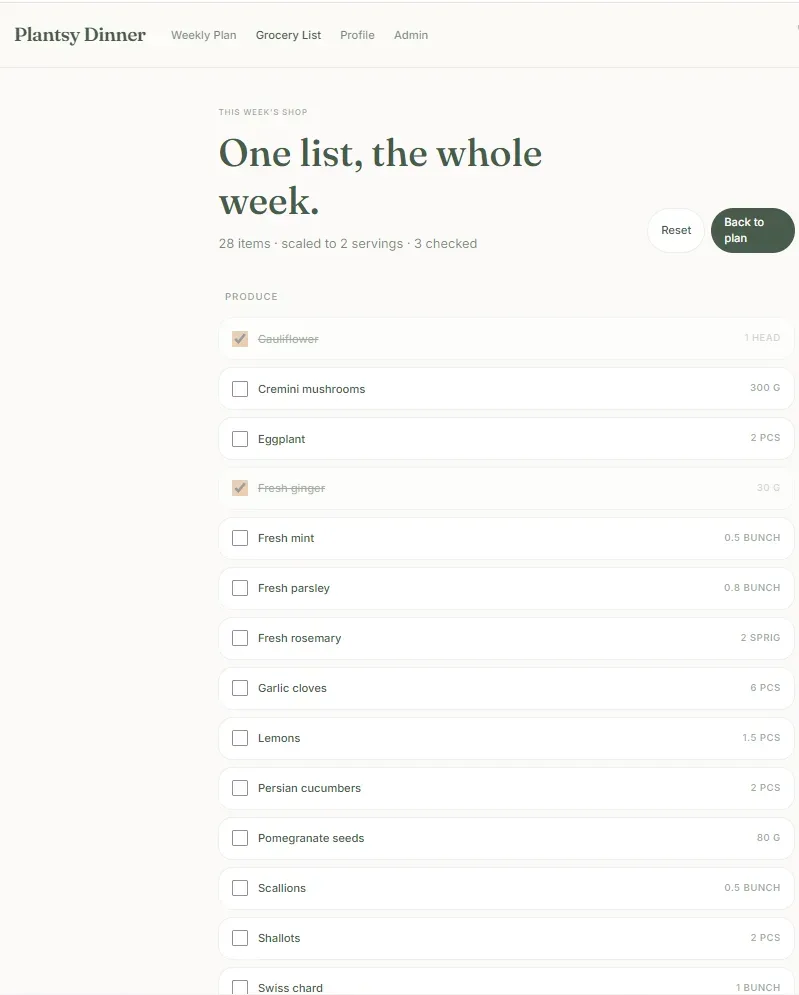
It was important that I receive the shopping list as a summary of the entire weekly plan (based on the idea that the user buys all the fresh ingredients at once, once a week), and that the list be checkable so it would be easier to keep track of exactly what needs to be bought.
image left: The shopping list page
Extra idea: Mailing list connection through API
Meanwhile, I had the idea to make the test one step further, to integrate the MailerLite newsletter system so that anyone who signs up can receive email reminders about the new weekly recipes, and so I can send tips—perhaps with some cross-sell or affiliate options. Like a "usual" creator would do, as mailing lists are very powerful marketing tools.
So, I created an API token in MailerLite and asked Lovable to help me set this up and tell me what name to use when entering the keys (secrets) on the Cloud tab. It worked on the first try!
At the same time, we added a checkbox to the sign-up page so that users can confirm their subscription to the newsletter.
Publishing
Finally, I published it within Lovable's own environment, as this was just a test, with no domain purchased. However it seemed like that it would be very easy to connect the domain with Lovable hosting.
If you happen to be curious, check it out: https://plantsy-dinner.lovable.app/
Disclaimer: I do not plan to actually post new meal plans, so do not expect any new plans each week, this is a dummy site. But... if you are a dietetican, health coach or any practitioner, who would need a system like this for their own content, feel free to reach out.
Conclusions and opinion
I made this app in May 2026, with a free account in Lovable. So maybe there are a few changes in the model and features.
However I found it very nice that the design was very on point to my prompt, the implementation of extra features after the initial prompt were also well understood by the app. The cloud data storage and user auth part is easy to use. Also, it was refreshing to see the results in the same browser as the prompts were added, in "real-time".